Firmware Update for Retio
This page will guide you through the Retio firmware update process.
Web Browser Compatibility
This browser "Mozilla/5.0 (Macintosh; Intel Mac OS X 10_15_6) AppleWebKit/605.1.15 (KHTML, like Gecko) Version/14.0.1 Safari/605.1.15" does not support Web Serial API yet.
Retio Firmware Update Procedure
Please follow closely in order. Do not skip steps.
- Turn OFF Retio using the
power switchon the back. - (Optional) Select the firmware version you'd like to use in the dropdown menu below. By default, it is the latest version if you don't choose.
- Click the
Flashbutton below, and a dialog will pop up, asking you "support.retio.co wants to connect to a serial port". - While watching the popup dialog, connect your Retio to your computer with a USB-C cable. You should see a new port appeared in the popup dialog.
- Select that serial port corresponding to your Retio. Then click
Connect.
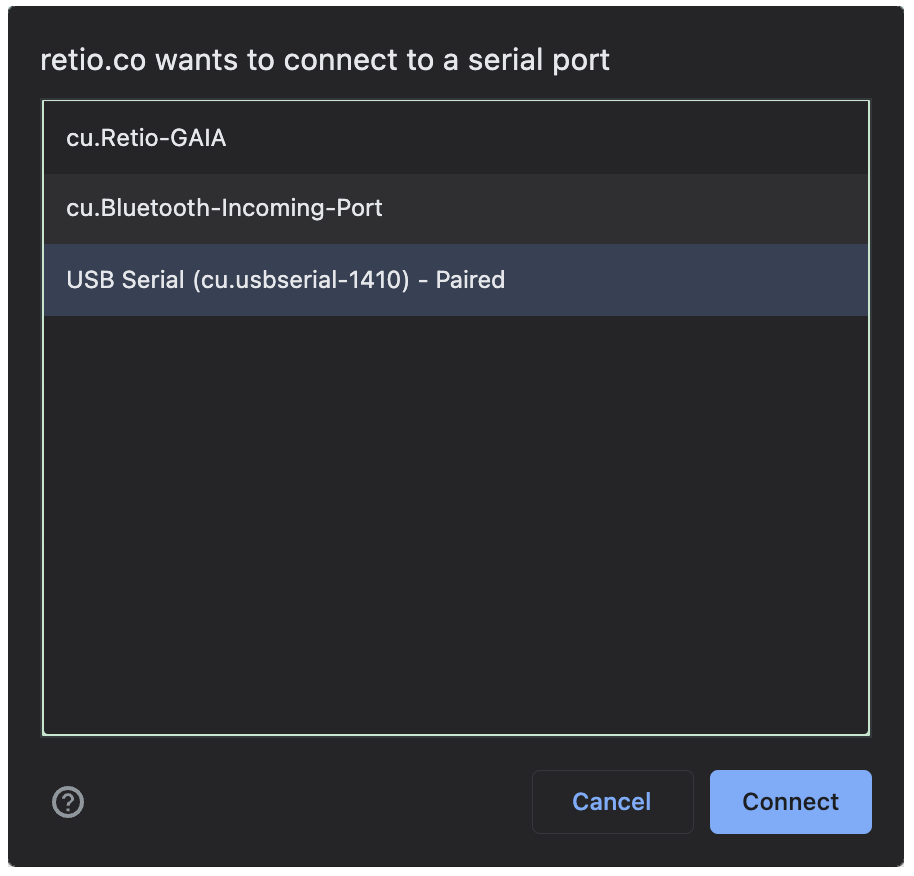
- Under the Flash button in Step 4, it will show "Waiting for Retio. Please turn on the power to continue...".
- Flip up the
power switchon the back of Retio to start the update process. - The update process will take about 1 minute.
- Once it's done, you'll be greeted with "Congratulations! Flashing was successfully complete! ..."
- Please remove the USB cable from Retio first.
- Power cycle your Retio (turn off, then turn on).
- Now the update process is complete.
Check Current Firmware Version of your Retio (Method 1)
MODE to AUXVOLUME to see the firmware version on the tube display.Check Firmware Version through Serial Port (Method 2)
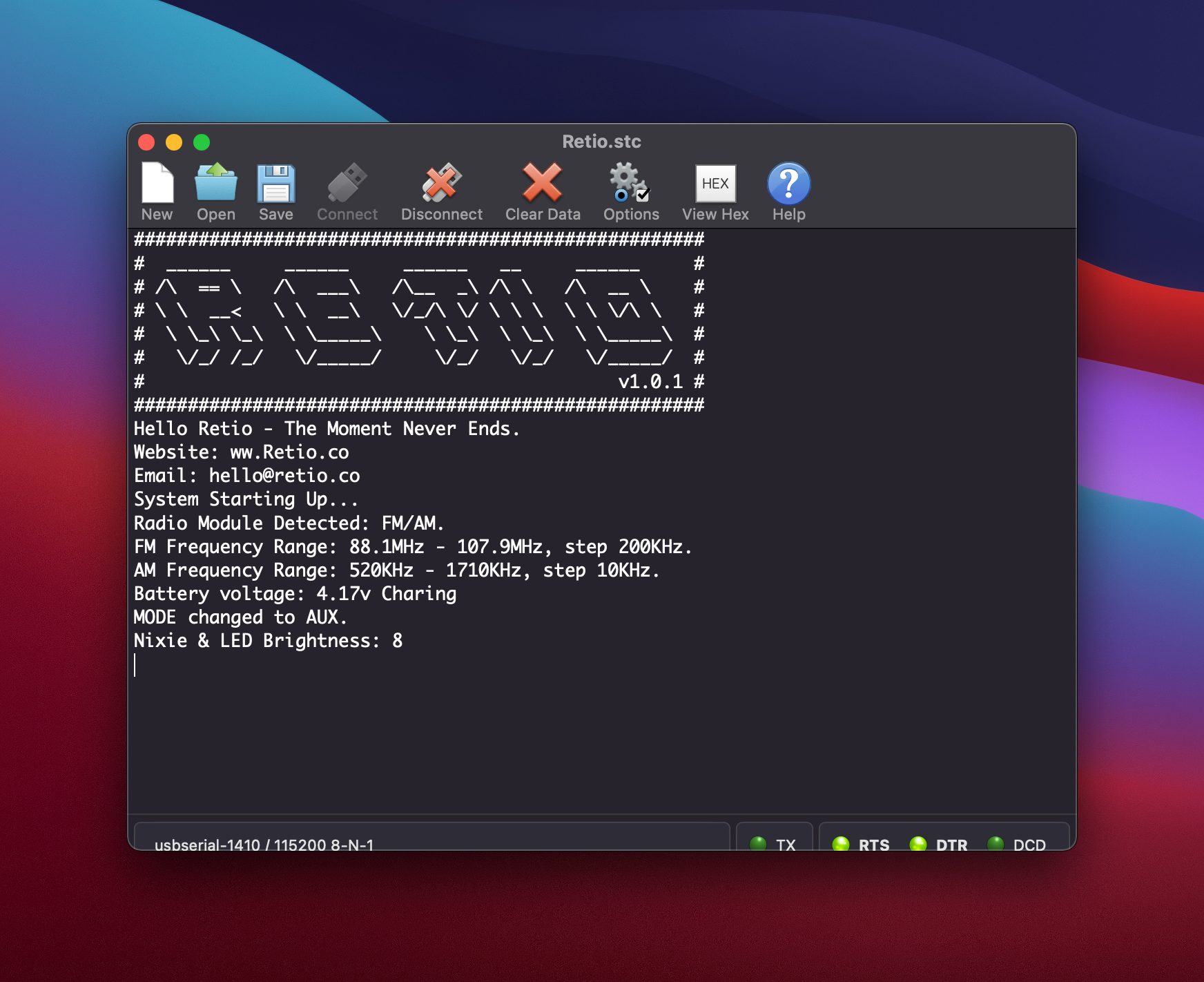
When connected to a computer with a USB Type C cable, the serial port of Retio/Reito Lite is accessible using the configuration below. And the current firmware version number will be displayed in the serial message.
Release Notes
Retio Firmware Version: 1.0.2
Release Date: May 26, 2022
Added Features
CLOCK mode, press-and-hold TUNE will disable the touch pad, and nixie tubes read "01 0".
TUNE again will enable the touch pad, and nixie tubes read "01 1".CLOCK mode.Retio Firmware Version: 1.0.1
Release Date: May 6, 2022
Added Features
VOLUME is pressed in AUX mode.VOLUME is pressed.Retio Firmware Version: 1.0.0
Release Date: Dec 25, 2021
Acknowledgement
The flash feature on this page is powered by stc.ninja.